 LightrailsBuy on OffPrism
A RAW workflow for professional standards. Not just for the pros.
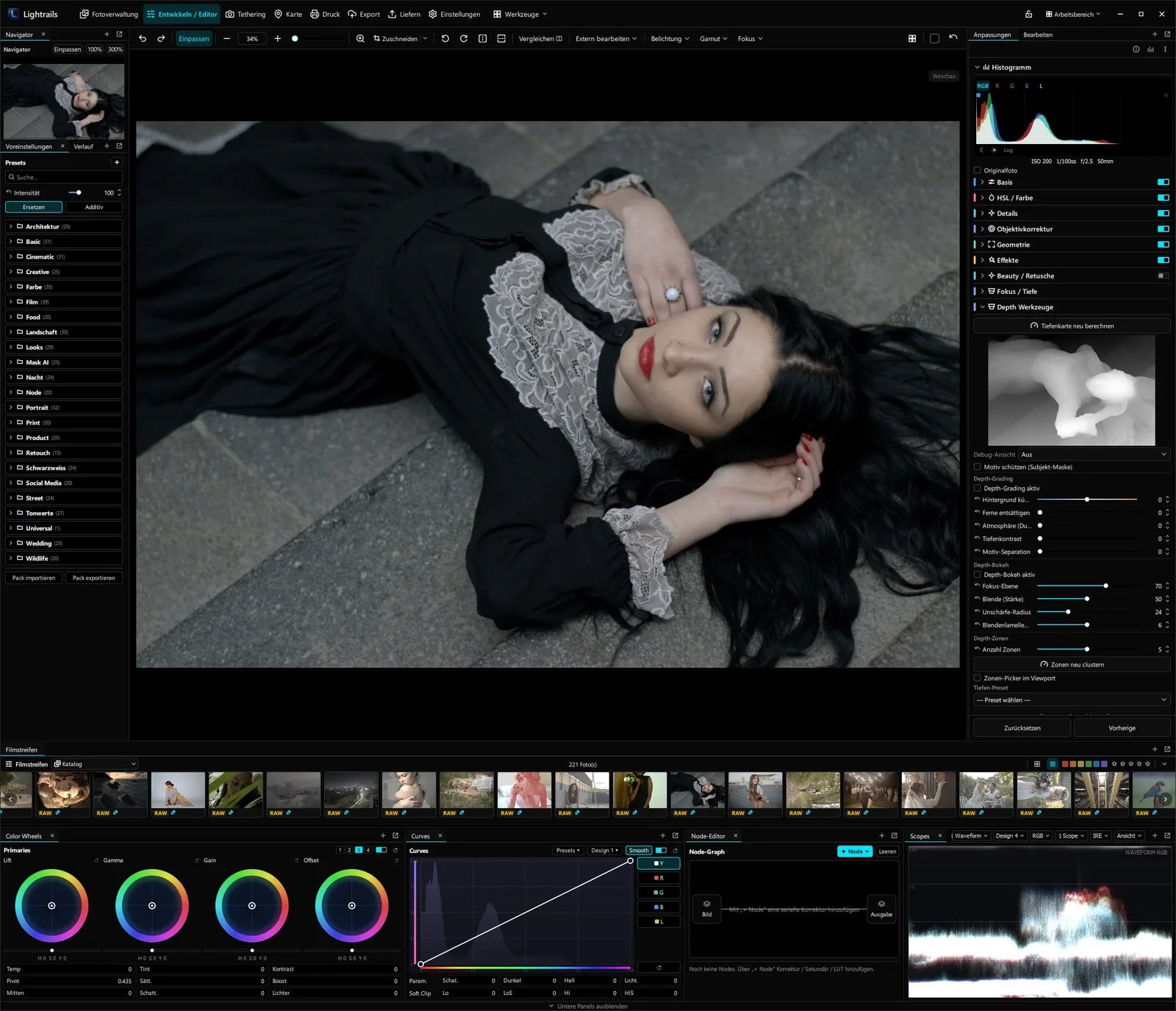
More control over your entire photo workflow: Lightrails brings image management, RAW development, retouching, tethering and delivery together in a single application – local, with no mandatory cloud and no subscription.
Manage your image collections without handing them over.
Lightrails organizes large image collections in local catalogs – with culling, ratings, metadata, versions, search and rule-based collections. Everything stays on your own system, with no external library and no cloud dependency.
From import to final selection, your collection stays clearly and traceably structured. Catalogs, albums, keywords as well as EXIF, IPTC and XMP data can be managed locally and searched in a targeted way.
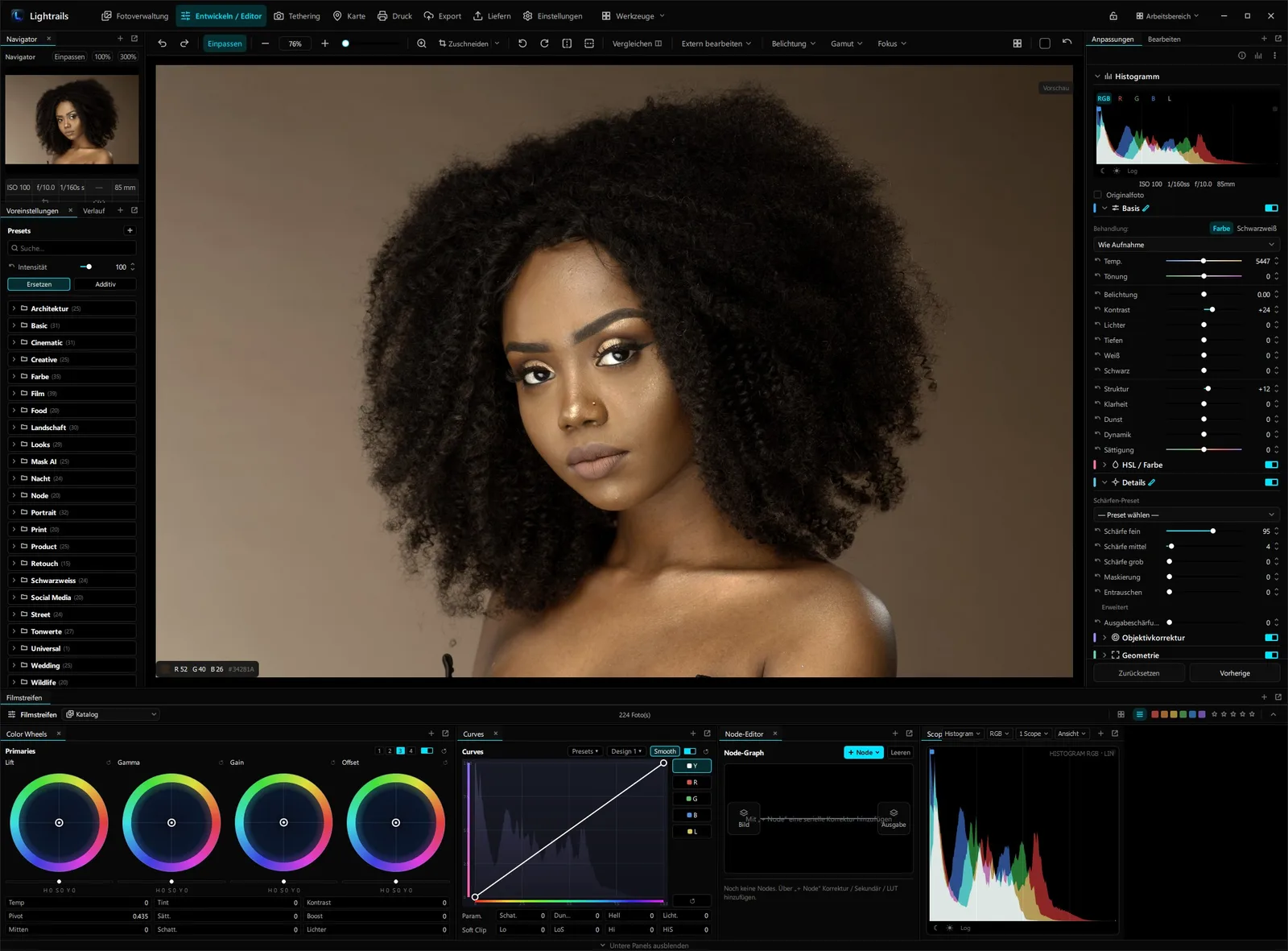
RAW development, color correction and retouching in one controlled workflow.
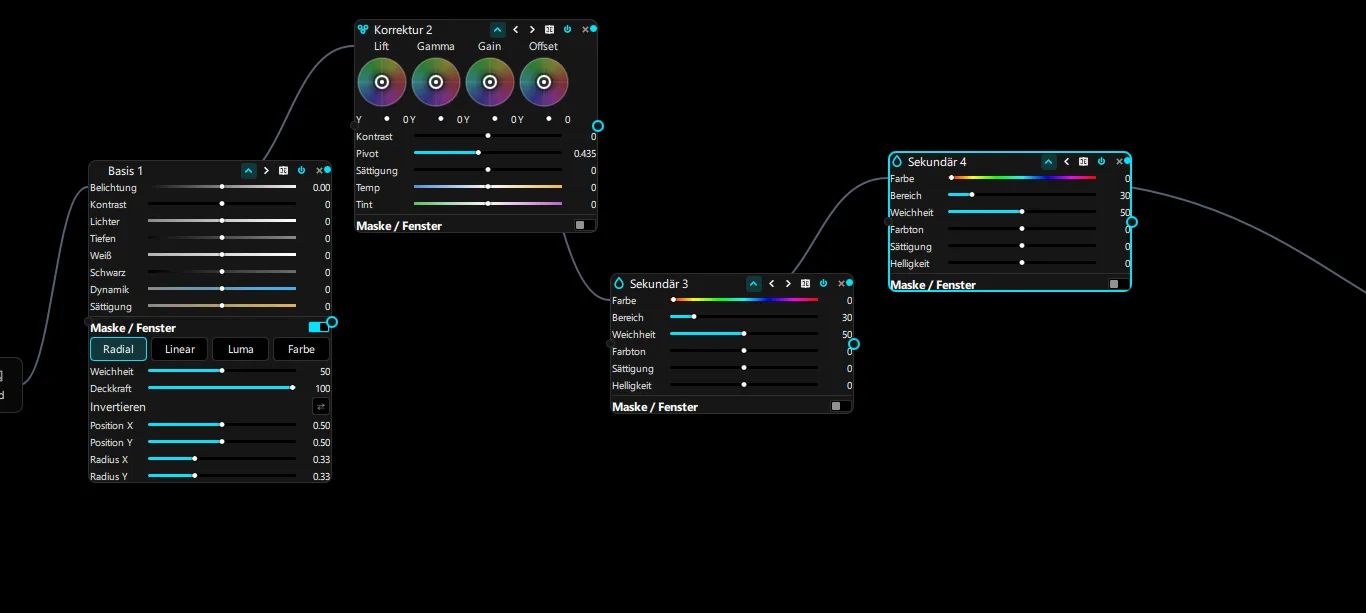
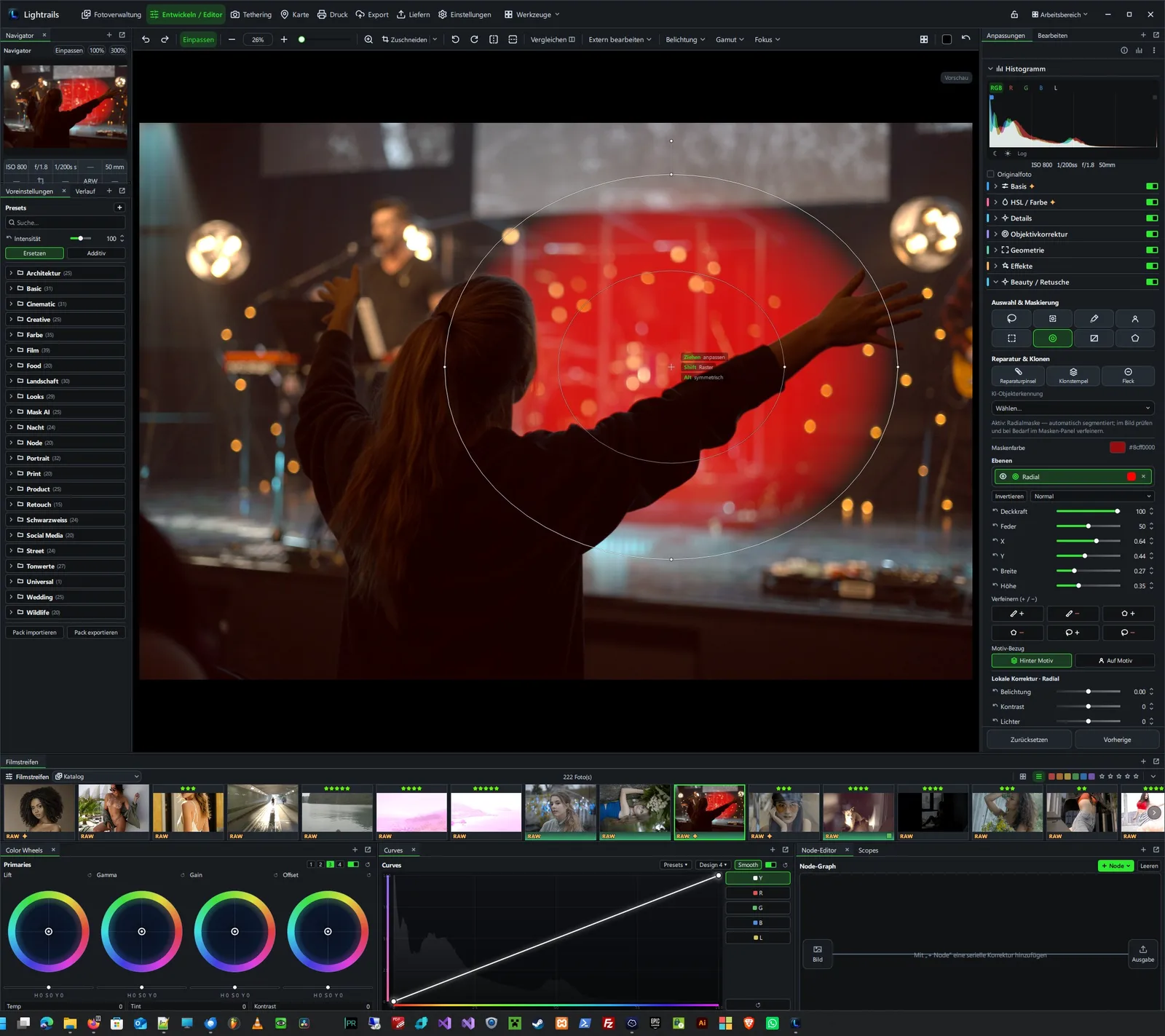
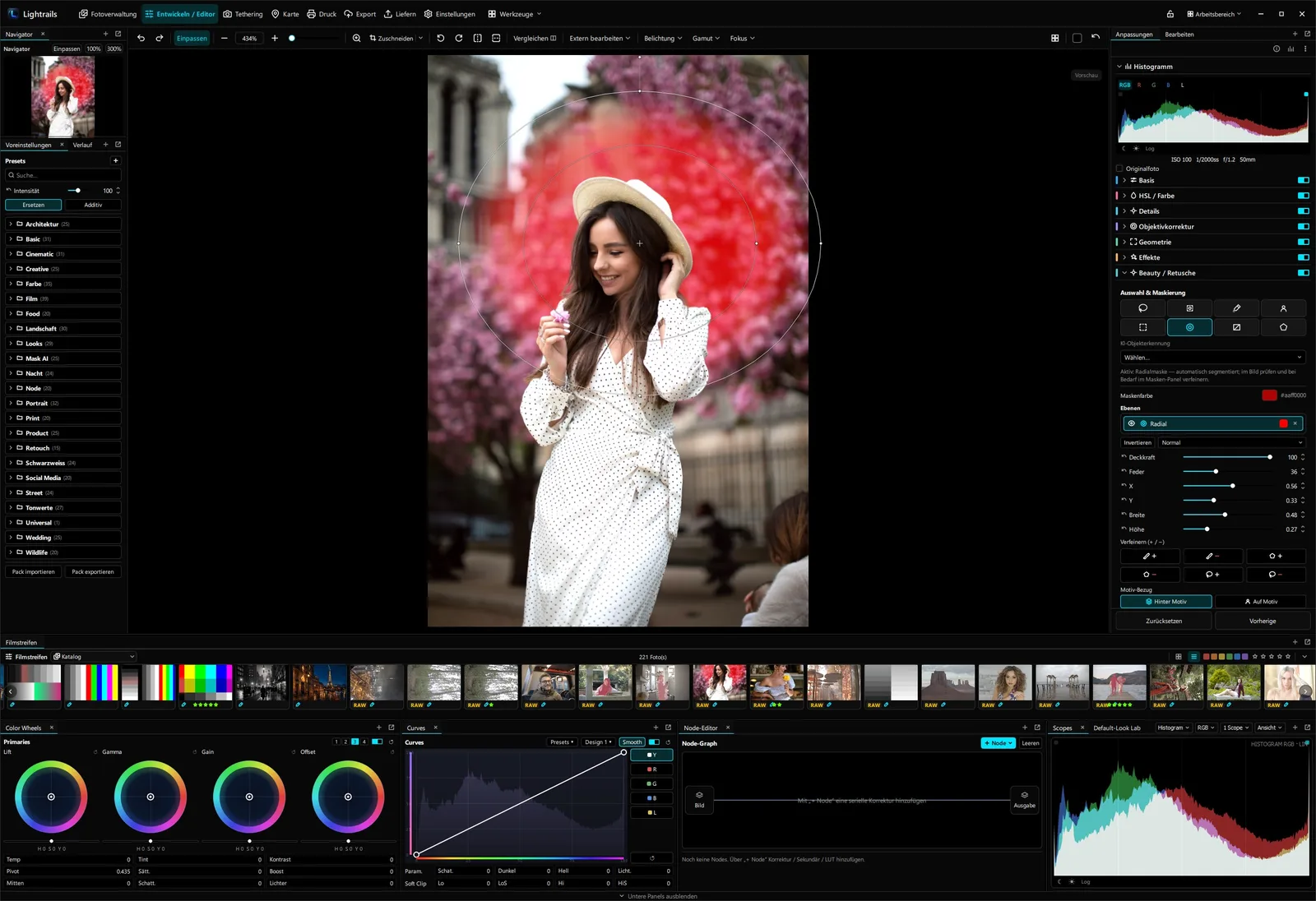
Lightrails combines non-destructive RAW development, precise color correction, a node-based editing structure and extensive layer features in one shared pipeline.
Instead of running a RAW converter, a color tool, retouching software and an export solution separately, editing stays within one traceable process. Corrections, masks, nodes, layers and output profiles work together and remain reproducible.
Tethered studio capture with verified ingest.
Lightrails supports controlled studio productions with direct capture ingest, live assessment, multi-source workflows, watched folders and instant backup with checksum verification.
On set, what matters is not only the shot but also its reliable ingest. Incoming files run through a controlled queue, completed writes are verified, and backups can only be finalized after successful verification.
Delivery for agencies, editorial, social media and prepress.
One editing state, multiple output variants: Lightrails produces formats, color spaces, sizes, watermarks, contact sheets and delivery packages from one controlled export process.
Professional image production does not end with editing. Agencies, publishers, client galleries, social media channels and print data each require different output formats – consistent, traceable and repeatable.
Automate recurring production steps reproducibly.
Rules, watched folders, batch recipes, macros and scheduled workflows cut down on manual routine – from import through metadata and development to delivery.
Automation is valuable when it takes work off your hands without taking away control. Recurring steps can be captured as templates, rules and macros, so large collections can be processed consistently.
Analog look as a computed editing step.
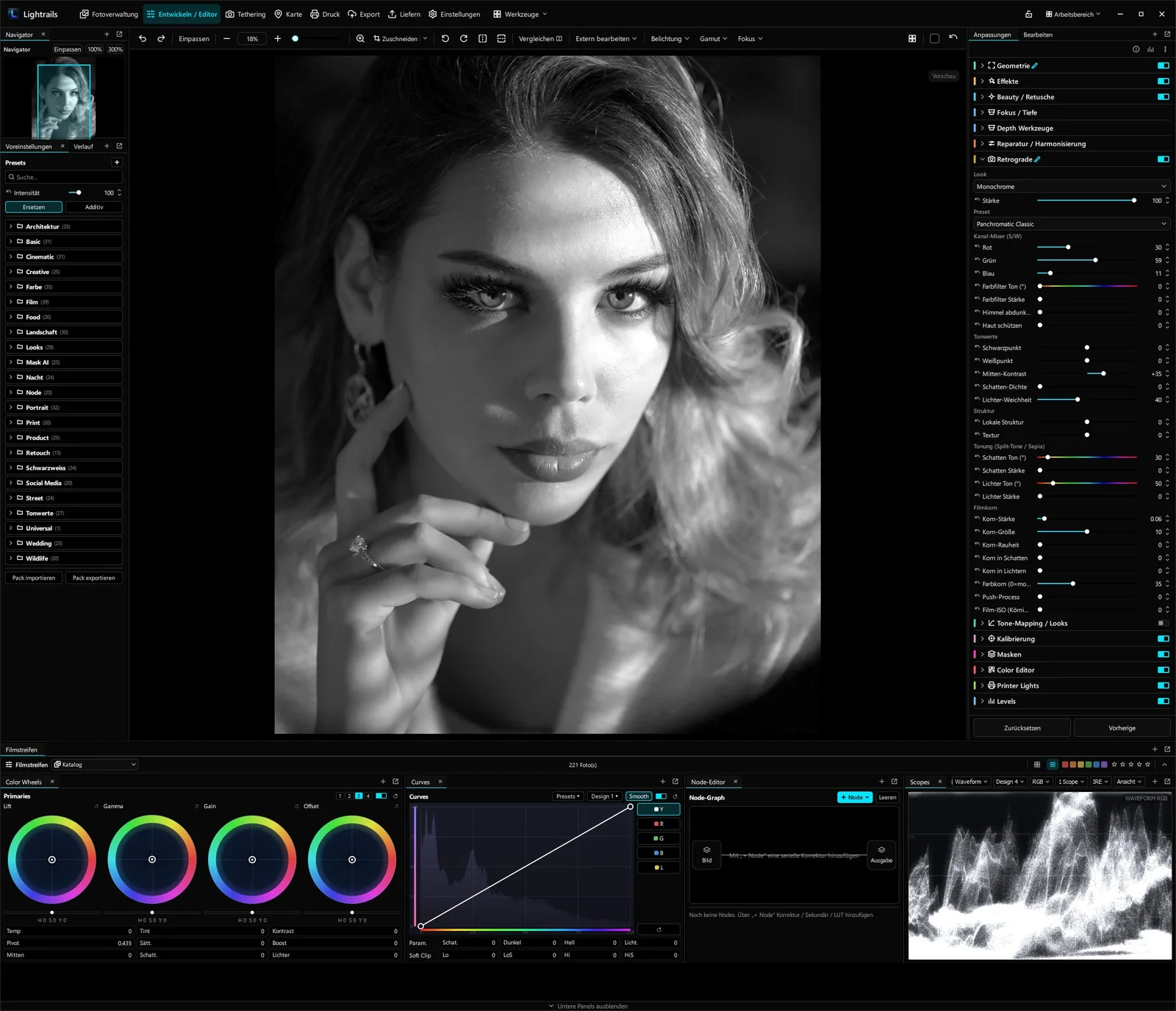
Retrograde produces filmic tonal gradations, grain, halation and color character not as a rigid preset but as a parametric processing step within the workflow.
Instead of laying a finished filter over an image, Retrograde computes the analog look from adjustable parameters. That keeps the look combinable with color correction, masks, nodes and layers, and adjustable at any time.
A workflow that grows with your ambitions.
Accessible enough to get started with a clean RAW workflow. Deep enough for professional productions – from a private photo archive to commercial image delivery.
Ambitious hobby photographers
For photographers who want to organize their image collections locally, develop RAW files precisely and work independently of subscription or cloud systems.
Semi-pros
For freelance photographers, content producers and part-time users who want to handle recurring jobs, series, client selections and exports more efficiently.
Professional users
For studios, agencies and image producers who need tethering, metadata management, color management, automation and controlled delivery in one seamless workflow.
One seamless workflow instead of scattered, separate processes.
Lightrails is not positioned as a single RAW converter, a pure management system or a classic pixel editor, but as an integrated workflow suite for local image production – from a private archive to commercial delivery.
Fewer media breaks
Management, development, retouching, export and approval work within one shared production context.
Local control
Images, catalogs, metadata, masks and outputs stay on your own infrastructure.
Output reliability
ICC soft-proof, profiled exports, CMYK-TIFF and reproducible presets support controlled delivery paths.
A comparison, in context. The overview below positions Lightrails against established photo applications based on selected workflow features. It serves product positioning and does not replace a full technical review of individual versions, editions or add-on modules.
| Workflow feature | Lightrails | DxO PhotoLab | Capture One | ON1 Photo RAW | Lightroom |
|---|---|---|---|---|---|
| Image Management & Culling | |||||
| Multiple catalogs & cross-library master catalog | ● | ◐ | ● | ● | ● |
| Rule-based collections & keyword hierarchies | ● | ○ | ● | ● | ● |
| Sharpness & focus assessment while culling | ● | ○ | ○ | ○ | ○ |
| Metadata tools (spreadsheet import, mapping, comparison) | ● | ○ | ◐ | ○ | ◐ |
| Versions, snapshots & history | ● | ● | ● | ● | ● |
| RAW Development & Color | |||||
| Node-based editing graph | ● | ○ | ○ | ○ | ○ |
| Color wheels (lift / gamma / gain / offset) | ● | ○ | ◐ | ○ | ◐ |
| Multi-channel curves & HSL ranges | ● | ◐ | ● | ● | ● |
| Signal scopes (waveform · vectorscope · parade) | ● | ○ | ◐ | ○ | ○ |
| LUTs (.cube) & tone-mapping transforms | ● | ○ | ○ | ○ | ◐ |
| Lens corrections (distortion / vignette / CA) | ● | ● | ● | ● | ● |
| Retouching & Layers | |||||
| Layer-based image editing | ● | ○ | ◐ | ● | ○ |
| Text/shape layers & blend modes | ● | ○ | ◐ | ● | ○ |
| Retouching (heal, clone stamp, smudge) | ● | ◐ | ◐ | ● | ◐ |
| Luminance & color-range masks, mask refinement | ● | ◐ | ● | ◐ | ● |
| AI-assisted & depth-based selection | ● | ◐ | ◐ | ◐ | ◐ |
| Studio & Tethering | |||||
| Tethered studio capture (tethering) | ● | ○ | ● | ○ | ◐ |
| Multi-source capture | ● | ○ | ◐ | ○ | ○ |
| Live preview & separate client monitor | ● | ○ | ● | ○ | ○ |
| Backup with checksum verification & stability check | ● | ○ | ○ | ○ | ○ |
| Color Management & Prepress | |||||
| ICC soft-proof & rendering intents | ● | ○ | ● | ○ | ● |
| CMYK-TIFF output via ICC profile | ● | ○ | ○ | ○ | ○ |
| Color picker with modern color models (OKLCH / Lab) | ● | ○ | ○ | ○ | ○ |
| Prepress / print module | ● | ○ | ◐ | ● | ● |
| Delivery, Automation & License | |||||
| Export builder (multiple targets & queue) | ● | ◐ | ● | ◐ | ◐ |
| Client approval gallery on your own network | ● | ○ | ○ | ○ | ○ |
| Automations, macros & folder ingest | ● | ◐ | ◐ | ○ | ◐ |
| Algorithmic film module (Retrograde) | ● | ○ | ○ | ○ | ○ |
| One-time license without a mandatory subscription | ● | ● | ● | ● | ○ |
| Fully local, no mandatory cloud | ● | ● | ● | ● | ◐ |
Full feature overview by edition: Feature list →
As of June 2026. Features may vary depending on version, edition, operating system, license model and extension. This presentation is intended to convey the workflow focus and is not an assessment of image quality or suitability for individual use cases. Product and brand names belong to their respective rights holders.
Buy once. Use it for good.
Two editions with no ongoing subscription – plus a free demo for the beta phase. Paid editions unlock at the official release.
The complete RAW workflow for management, development and retouching.
- ✓ Image management, culling & metadata
- ✓ RAW development, color correction & Node-Graph
- ✓ Retouching, layers & masks
- ✓ Retrograde film module
- ✓ Automation & macros
- ✓ ICC color management
- ✕ Tethering & studio ingest
- ✕ Delivery & prepress
All features – including studio tethering and full delivery.
- ✓ All features of the Standard edition
- ✓ Tethering & studio ingest (multi-source)
- ✓ Live preview, client monitor & shotlist
- ✓ Delivery: export builder & delivery packages
- ✓ Client approval on your own network
- ✓ Prepress: CMYK-TIFF, soft-proof & print module
- ✓ Backup with checksum verification
The full feature set as a time-limited trial license during the beta phase.
- ✓ Full feature set to try out
- ✓ Time-limited demo license
- ✓ Early access to the beta
- ✓ A direct line for feedback
Every feature in detail by edition: Full feature list →
Prices in euros incl. statutory VAT. Editions, prices and feature scope are provisional and may change before release.
A local photo workflow for ambitious and professional productions.
Lightrails is for ambitious hobby photographers, semi-pros, studios and image producers who want to manage image collections cleanly, develop RAW files precisely, shoot productions tethered and deliver results in a controlled way – with no mandatory cloud and no permanent subscription.